
Aviator is a crash game by Spribe that runs inside an operator’s website or app. On a tablet, the round rules remain the same, but the larger touch screen changes how the game panels, history, chat and cash-out controls appear.
This guide explains what changes on a tablet and what does not. It covers the layout, touch controls, probability, connection requirements, cash-out timing and the operator settings that can affect stakes or win caps.
Tablet Layout And Screen Space
Aviator works on desktop, tablet and mobile browsers. The tablet layout gives the game more room than a phone, while keeping the touch controls available without a mouse or keyboard.
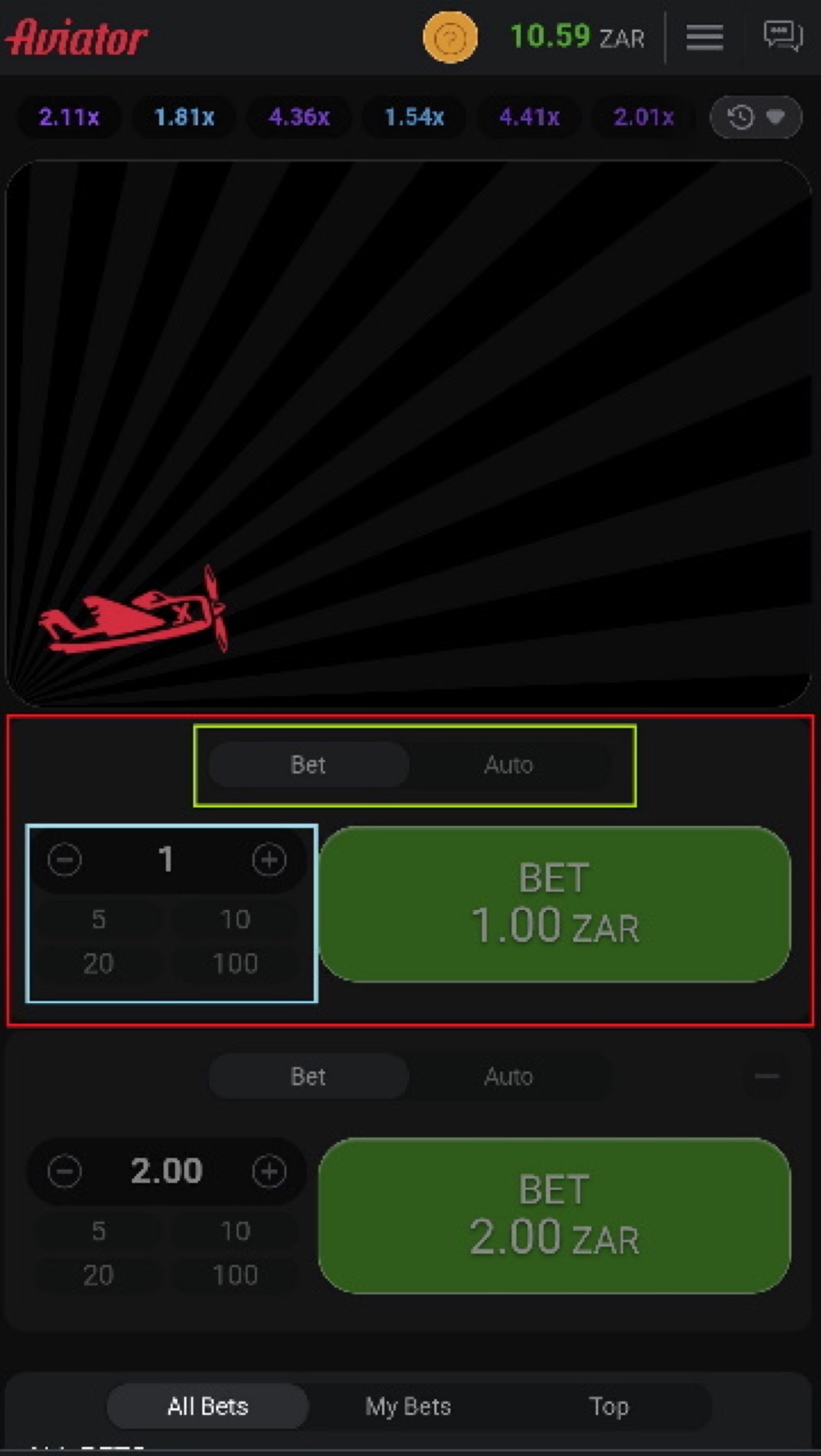
The mobile view shows the compact arrangement that a tablet can display with more available space.
The exact appearance depends on the operator’s website or app. Spribe supplies the game, but the operator controls how Aviator is placed within its wider betting interface. The game can therefore appear as a browser page, an embedded casino area or an instant-games menu.
A tablet can show more of the game at once than a phone. This matters because Aviator includes several information areas that may otherwise require scrolling or smaller controls.
- The rising multiplier and current round occupy the main game area.
- Two bet panels can appear below or beside the round.
- The live bets panel can show All Bets, My Bets and Top.
- The top area shows the history of previous multipliers.
- The in-game chat and the Provably Fair badge remain available within the interface.
The two bet panels are important on a tablet because their controls can remain visible together. Each panel can have its own stake and cash-out instruction, allowing two separate bets in one round when the operator interface supports the relevant controls.
Screen orientation also affects the arrangement. A wider view may place the game and bet panels side by side, while a taller view may stack them. This is a layout change, not a change to the game mathematics or the crash point.
Tablet users should check the entire screen before tapping. A visible balance, stake field, cash-out setting or chat panel can occupy a different position after the browser resizes the page.
- Check that the round multiplier is visible.
- Find both bet panels before entering a stake.
- Confirm which panel has the active cash-out control.
- Look for the round history and Provably Fair badge.
Touch Controls And Bet Panels
Aviator has two bet panels per round. Each panel supports a separate cash-out, so a tablet user must identify the correct panel before tapping a control.
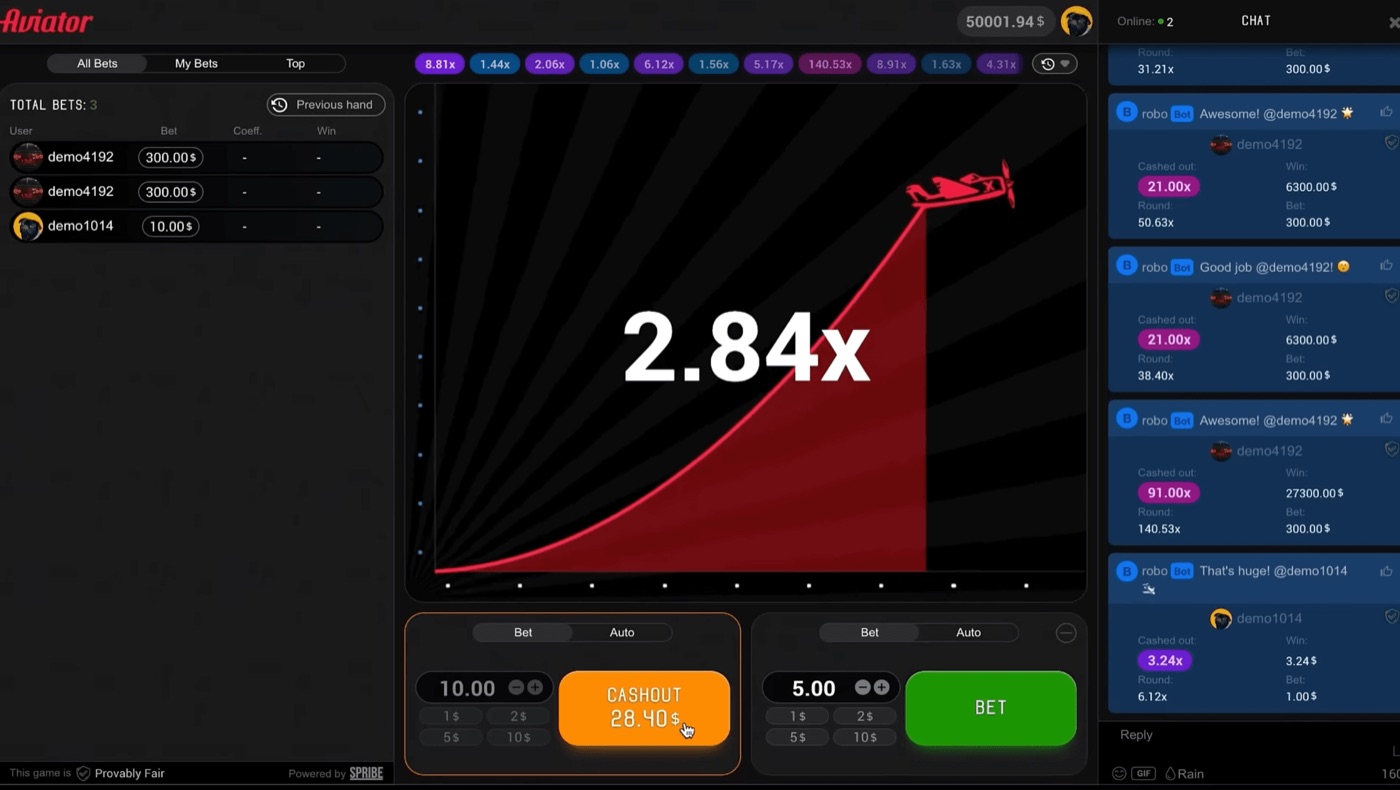
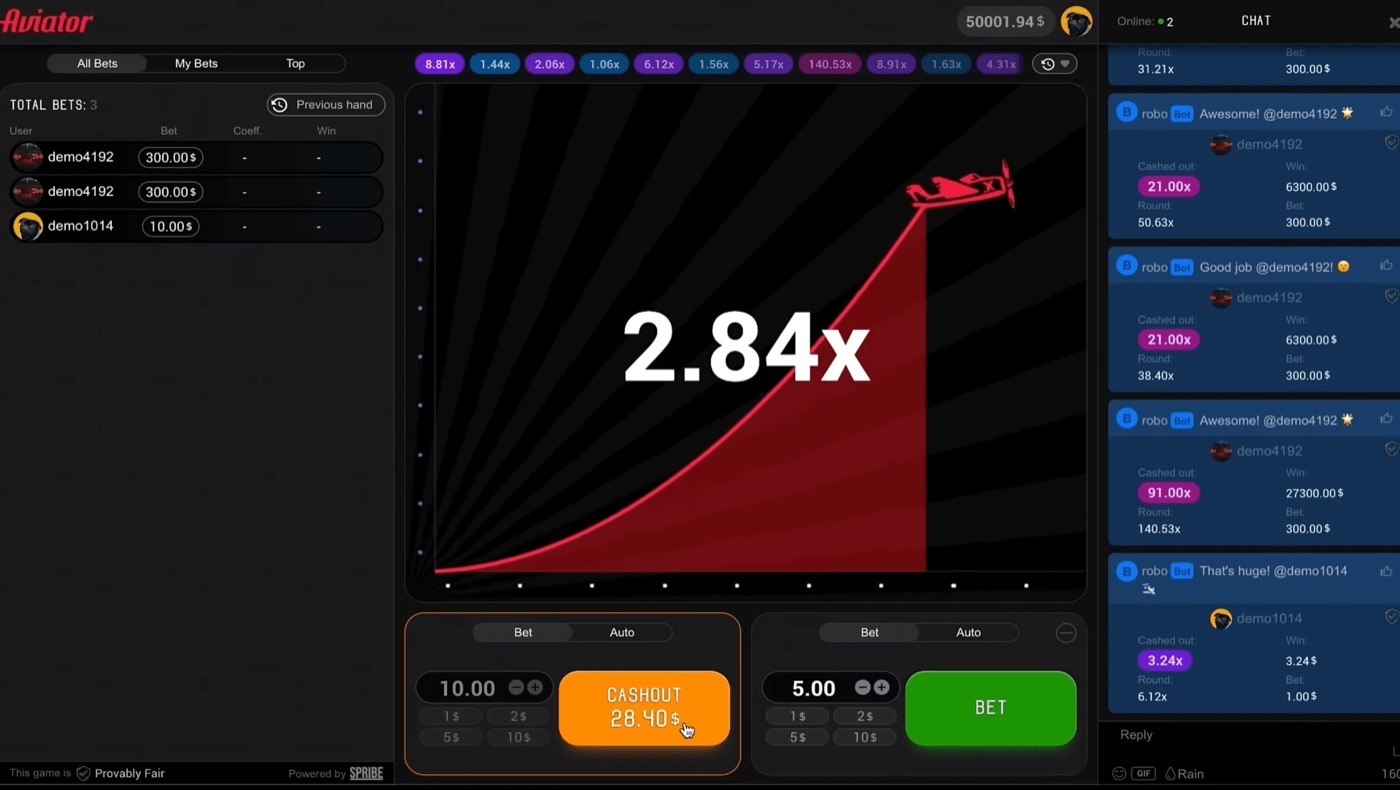
The interface combines live bets, chat and a cash-out control around the active round.
The interface includes Bet and Auto tabs. The Bet tab is used for a normal manual stake, while the Auto tab provides settings such as Auto Cash-Out at a preset multiplier.
Auto Bet or Auto Play can be set for 10 to 100 rounds. These settings can also include stop-on-win and stop-on-loss conditions. They automate the selected instructions, but they do not predict the next multiplier or change the round edge.
Touch operation creates a different practical risk from mouse operation: an unintended tap can activate the wrong field or panel. A player should wait for the intended button to respond and avoid tapping repeatedly when the connection is slow.
- Use the correct Bet or Auto tab for the intended action.
- Enter or select the stake in the intended bet panel.
- Check the preset multiplier before enabling Auto Cash-Out.
- Review the round count before enabling Auto Bet or Auto Play.
- Confirm stop-on-win and stop-on-loss settings before starting.
Typical quick-stake buttons can make entry faster, but the available values depend on the operator. Typical stakes range from about $0.10 to $100 per bet, and the operator sets the applicable currency, minimum and maximum.
A larger screen does not make a cash-out request earlier by itself. The request still has to reach the server before the crash. If the multiplier has already crashed, a later tap cannot change the result.
Aviator’s cash-out control is part of a gambling decision, not a guaranteed exit. For example, when choosing a cash-out target for a crash game, a player may review the multiplier and stake settings through the 1win app aviator reference point, but the round still ends according to the committed crash point.
Same Maths On Every Screen
Aviator has an RTP of 97% and a house edge of 3%. The tablet screen does not alter either value because the game calculates the round independently of the display size.
| Target multiplier | Probability the round reaches it |
|---|---|
| 1.2x | 80.8% |
| 1.5x | 64.7% |
| 2x | 48.5% |
| 3x | 32.3% |
| 5x | 19.4% |
| 10x | 9.7% |
| 20x | 4.85% |
| 50x | 1.94% |
| 100x | 0.97% |
The probability formula is 0.97 divided by the target multiplier. At 2x, the calculation is 0.97 divided by 2, giving 48.5%. At 10x, it is 0.97 divided by 10, giving 9.7%.
About 3% of rounds crash instantly at 1.00x, which is roughly 1 round in 33. The expected value is minus 3% of the stake at every cash-out target. A strategy can change variance, but it cannot remove the house edge.
Consider a stake of 10 units and a 2x cash-out target. If the multiplier reaches 2x and the cash-out succeeds, the return is 20 units before considering the original stake as part of that return. If the round crashes at 1.50x, the target is not reached and the stake is lost.
- A 1.5x target is reached in about 64.7% of rounds.
- A 2x target is reached in about 48.5% of rounds.
- A 5x target is reached in about 19.4% of rounds.
- A 10x target is reached in about 9.7% of rounds.
Rounds last about 8 to 30 seconds, with about 60 to 90 rounds per hour and a few seconds between rounds. A tablet can display more history or chat during that time, but those displays do not provide a mathematical advantage.
Rounds are independent. Patterns, graph analysis, a best time to play and a strategy chart cannot change the probability of the next round.
Provably Fair Round Process
Aviator publishes a SHA-256 hash of the server seed before each round. The crash point is fixed before take-off, and player client seeds are combined with the server input.
After the round, the inputs are revealed and can be checked with the verification tool inside the game. Neither the operator nor Spribe can change the result after the round starts.
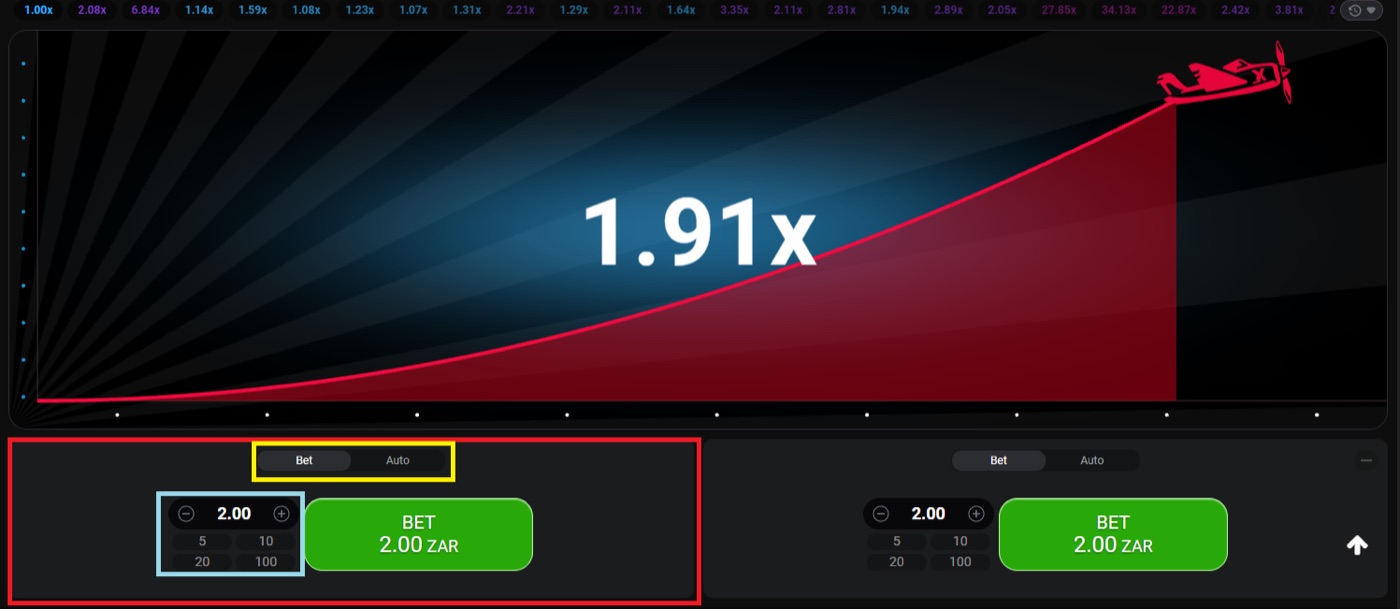
The round display shows a 1.91x multiplier with two separate bet panels.
The tablet interface may make the Provably Fair badge easier to see than on a phone, but the verification process is the same. Screen size changes access to the information, not the information used to create the result.
A player checking a disputed round should distinguish between two events: the crash point and the cash-out request. The crash point is committed before take-off. A cash-out request must reach the server before that point to be accepted.
Connection delay can explain a time-out without changing the committed result. A slow tablet, weak connection or delayed page response can make a tap appear late, especially when the multiplier is moving quickly.
- Read the server-seed hash shown before the round.
- Note the round result after the crash.
- Open the in-game verification tool.
- Compare the revealed inputs with the recorded hash.
- Check whether the cash-out request reached the server before the crash.
The fairness check does not predict an upcoming round. It checks whether the published process matches the result after the relevant inputs have been revealed.
Connection And Cash-Out Timing
Aviator was built for low bandwidth and budget devices. A tablet can run the game through a browser, but connection quality still affects how quickly controls and round updates reach the device.
The multiplier may continue on the server while the tablet is loading or displaying an older screen state. This difference matters most when a player taps cash-out close to the crash point.
Useful connection checks include:
- Keep the Aviator page open and visible during an active round.
- Wait for the current multiplier and controls to load before placing a bet.
- Avoid repeated taps when the interface has not responded.
- Check the balance and bet status after a cash-out attempt.
- Use demo mode first if the device or connection is unfamiliar.
Playing off-peak may make the connection feel smoother, but it does not improve the odds. It is a technical choice, not a betting strategy.
A tablet can also lose display space when the browser opens another panel, changes orientation or shows a system message. Before a round begins, close anything that covers the cash-out button or the active bet panel.
Demo mode exists through an operator demo or demo.spribe.io and needs no registration. It allows a player to examine the tablet layout and touch controls without using a real stake.
A responsible approach is to set a loss limit before play and stop when that limit is reached.
Operator Settings And Tablet Play
The operator sets the available stake range and the win caps for Aviator bets. Spribe has not published a maximum multiplier, and guides quote different figures.
The same tablet screen can therefore show different stake buttons, balance tools or limits on different operator interfaces. These differences belong to the operator, not to a separate tablet version of Aviator.
Before placing a real bet, check:
- The minimum and maximum stake shown by the operator.
- The maximum win or round cap that applies to the account.
- Whether the game appears under Casino, Instant Games or a crash-game section.
- Whether Auto Bet, Auto Play and Auto Cash-Out are available.
- How the operator displays a successful or failed cash-out.
There is no standalone official Aviator app from Spribe. The game runs inside a licensed operator’s website or app, so a tablet player should treat an app listing as an operator product rather than assuming it came from Spribe.
Apps named Aviator or Aviator Predictor on Google Play, Softonic, Uptodown and APK mirrors are third-party clones. They may advertise virtual coins, no real value or ads, and version names such as Predictor v4.0, v8 and v12 are marketing labels rather than Spribe products.
Prediction tools cannot calculate the next crash point. The result is committed by hash before the round, and public maths or Telegram signal bots do not alter that process.
The operator may also display promotional tools in the interface. Rain Promo places free bets in chat for the first players to tap “claim”, while operators can grant Free Bets individually, in batches or by API. Tournaments and races can use leaderboards, and operators announce promotions in the chat.
Aviator FAQ
Aviator works on tablet browsers and operator apps. The game keeps its 97% RTP and 3% house edge on a tablet.
The questions below separate changes to the screen and controls from the rules that remain unchanged.
Is Aviator different on a tablet?
The layout can be different because a tablet has more screen space than a phone. The game can show the two bet panels, history, live bets, chat and the main multiplier with less compression, but the round process remains the same.
Can I use touch controls for cash-out?
Yes, the tablet interface supports touch interaction through the operator’s website or app. The cash-out request must reach the server before the crash, so a delayed tap or time-out may leave the bet unsettled or unsuccessful.
Does a tablet change Aviator odds?
No. Aviator has 97% RTP and a 3% house edge, with the probability of reaching multiplier m calculated as 0.97 divided by m. A larger display does not change those values.
Can I play Aviator free on a tablet?
Yes. Demo mode exists through an operator demo or demo.spribe.io and needs no registration. Demo mode lets a player inspect the tablet controls without using a real stake.
Is there an official Aviator tablet app?
There is no standalone official Aviator app from Spribe. Aviator runs inside a licensed operator’s website or app, while third-party predictor and clone apps are not Spribe products.
Why did my tablet cash-out time out?
A time-out can result from latency or a slow device. The cash-out request has to reach the server before the crash, and the tablet may display the round later than the server processes it.